

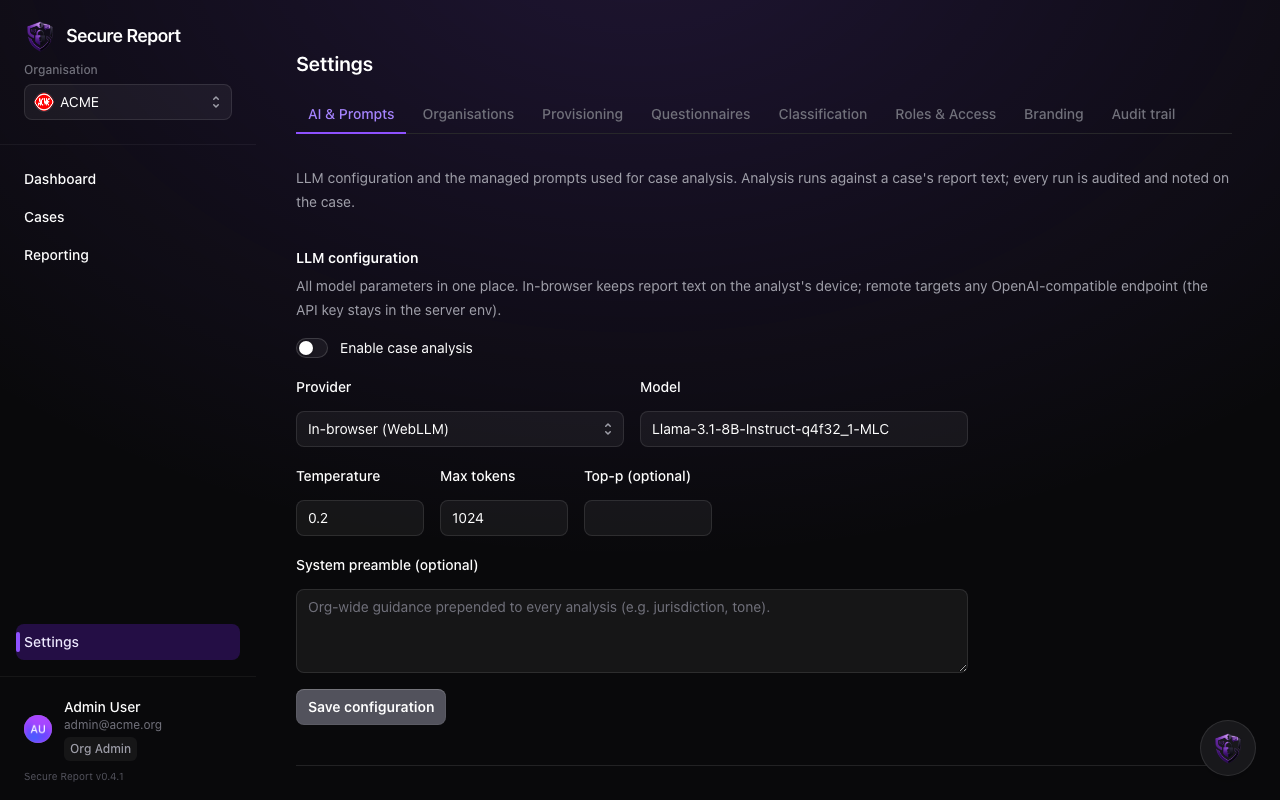
Choosing an engine
Model, temperature and token limits are configured here too. The whole capability has an enabled switch — when off, analysis is refused server-side regardless of what the UI shows.
Authoring prompts
Prompts are named, reusable instructions — “Summarise for triage”, “Assess against the Protected Disclosures Act”. Each prompt can be:- General, offered on every case; or
- Linked to a questionnaire, offered only on cases submitted through that intake form — so prompts always match the questions the reporter actually answered.
Access is two-layered: this tab needs the Org Admin role, and each analyst needs the AI analysis feature in Roles & Access.