

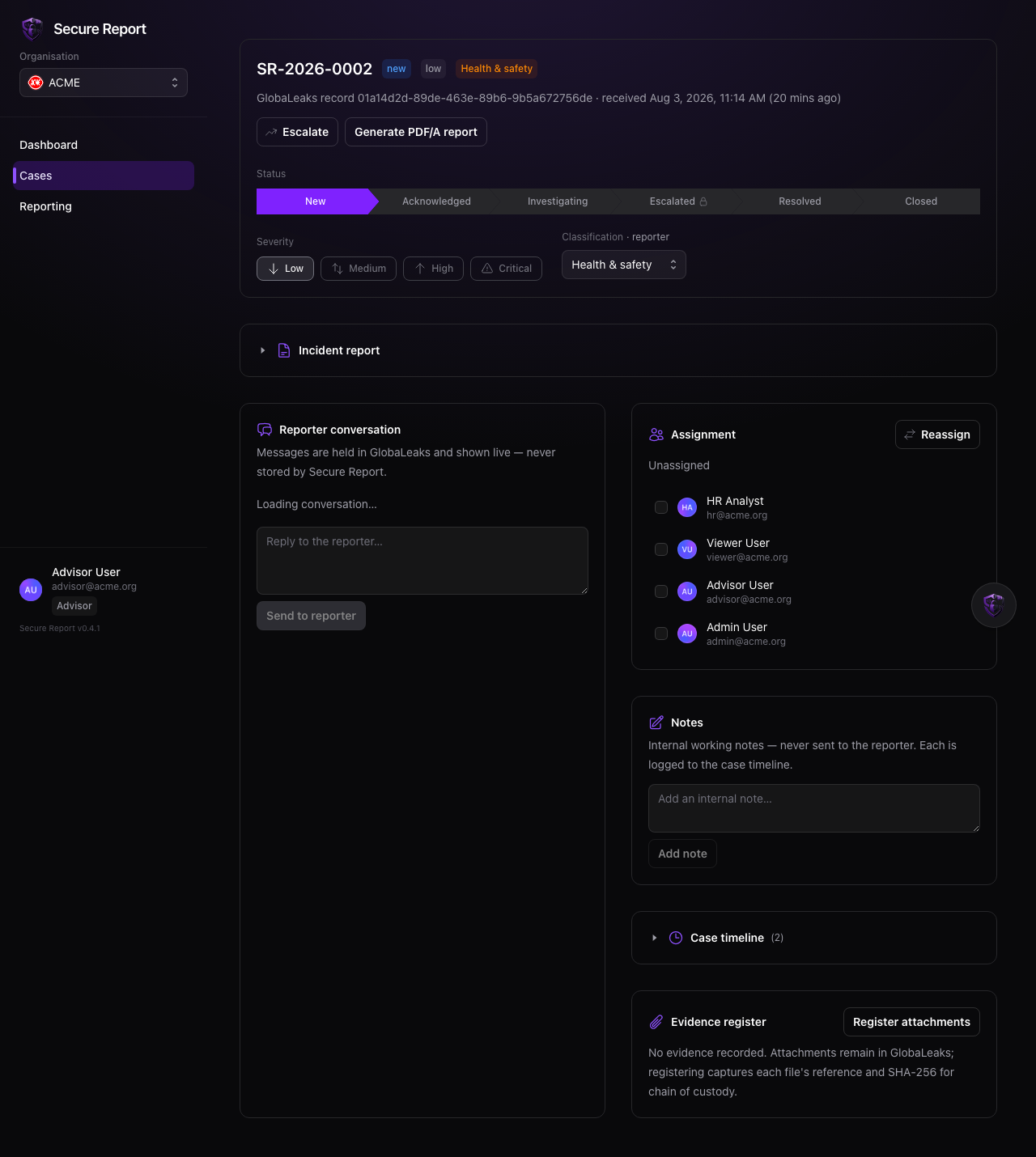
The submitted report
The reporter’s answers are shown on the case, read live from your organisation’s secure intake system each time — they are never copied into Secure Report. If your role doesn’t include viewing report content, the case still opens with its metadata and timeline.Workflow
1
Acknowledge and classify
Move a new case to Acknowledged, and check its classification. If the reporter’s answer classified it wrongly (or it arrived unclassified), re-classify it — the change is recorded as an analyst override.
2
Assign an owner
Assign one or more investigators. Reassigning replaces the current owner and records who it moved from and to.
3
Investigate
Set severity (low → critical), add internal notes, register evidence, and message the reporter as needed.
4
Escalate when required
Escalation requires a reason and can hand the case to a new owner in the same step. The case moves to Escalated and the reason is permanently on the record.
5
Resolve and close
Mark the outcome with Resolved, then Closed when the matter is finished. Closing stamps the closure time on the case.
Case statuses
new → acknowledged → investigating → (escalated) → resolved → closed
Statuses can move backwards where that reflects reality — the timeline keeps the full history either way.
The timeline
Every action — status changes, severity changes, classification, assignments, escalations, notes, evidence, messages, report generation — appears on the case timeline with who did it and when. The same events feed your organisation’s tamper-evident audit trail.Internal notes are for your team only. They are never visible to the reporter, and they are excluded from exported case reports.