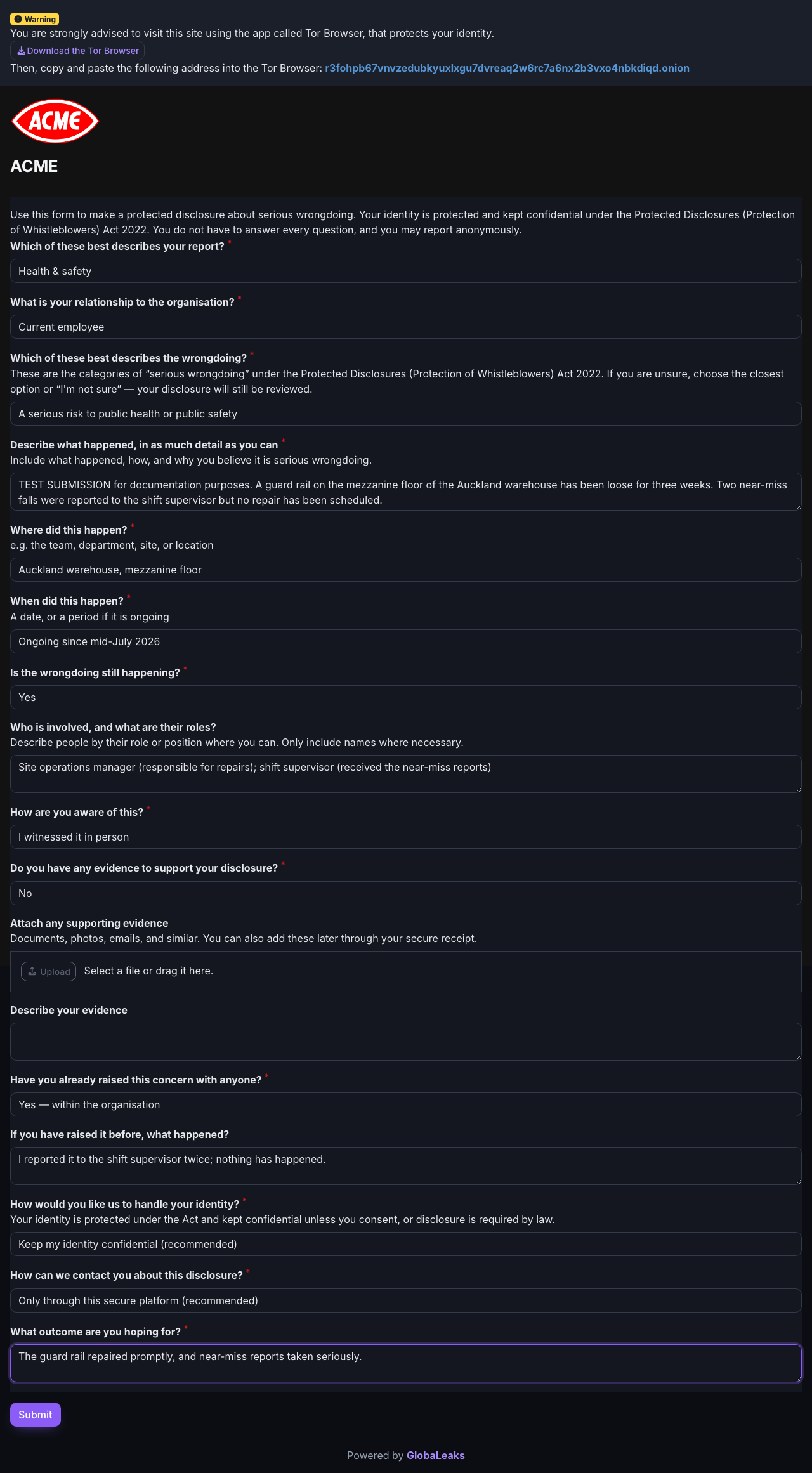
Choose Submit a report on your organisation’s reporting site to open the disclosure questionnaire.
Answering the questionnaire
The questions are set by your organisation. A typical form asks:
- What kind of report this is — the category you pick helps route your report to the right people.
- What happened — describe it in your own words: what, where, when, and why you believe it’s serious.
- Who is involved — roles and positions are usually enough; include names only where necessary.
- Evidence — attach documents, photos or emails if you have them. You can also add evidence later using your access code.
- How to handle your identity — remain anonymous, keep your identity confidential, or consent to it being shared for the investigation. This choice is yours.
Only questions marked * are required. A shorter, factual report submitted today is worth more than a perfect one that never gets sent — you can always add detail later through your access code.
If you want to stay anonymous, check your attachments too: documents can contain names in their content or file properties, and photos can embed location data.