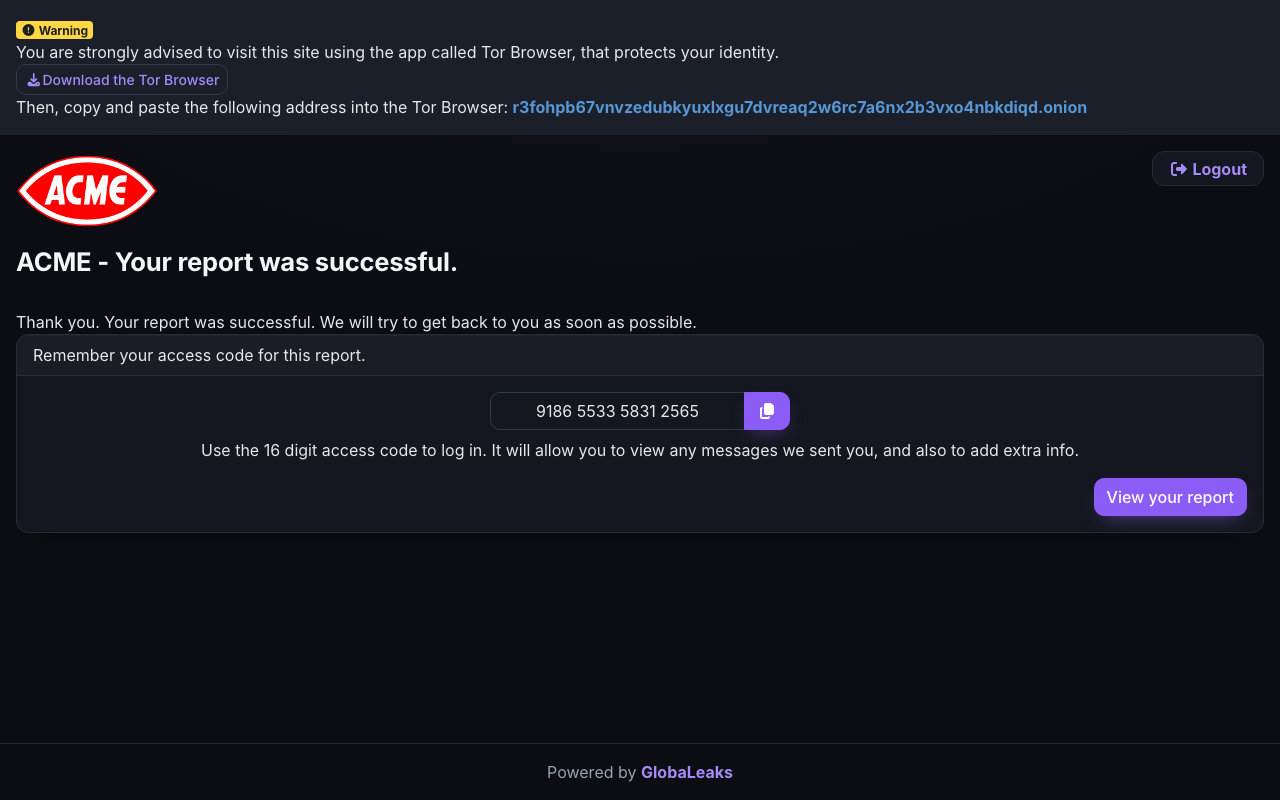
After you submit, the site shows a 16-digit access code:
Why it matters
The access code is the only connection between you and your report. There is no account, no email, and no password reset — by design, so nothing links the report to you.
Save the code before leaving the page. If it’s lost, nobody — not the organisation, not the platform — can recover your report or the conversation. You would need to submit again.
Using the code
Return to the reporting site and enter the code under “Have you already submitted a report?” to:
- Read replies from the people handling your report,
- Answer their questions — they may need clarification to act,
- Add information or evidence you didn’t have at first.
Check back every week or two, especially in the first month. Two-way contact is often the difference between a report that can be acted on and one that stalls — and it works without you ever revealing who you are.