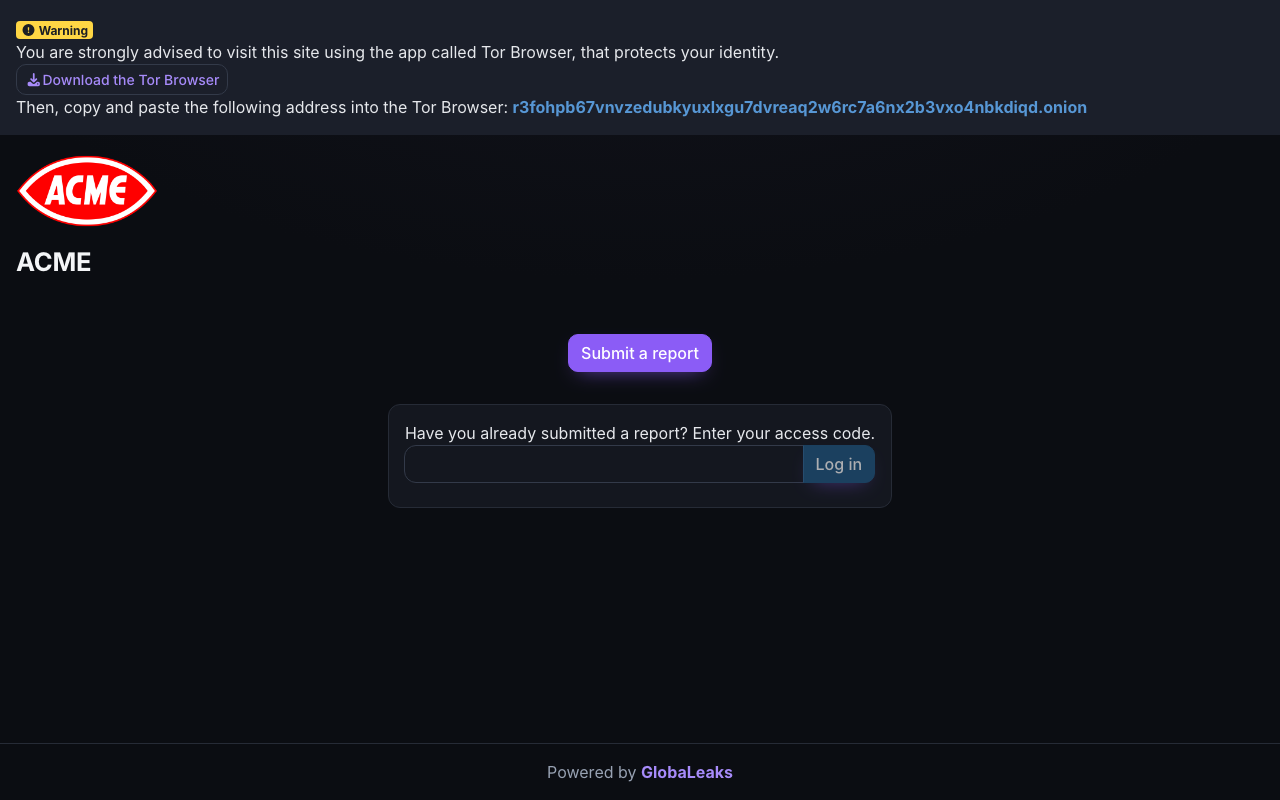
https://your-organisation.securereport.cloud. This is the address published in your organisation’s whistleblowing or speak-up policy.
What you can rely on
- No account needed. You never create a login, give an email address, or identify yourself unless you choose to.
- Anonymous by default. Submit without any identifying details; the questionnaire lets you choose how your identity is handled.
- A private channel back. After submitting you receive a 16-digit access code — the only key to your report. Case handlers can reply to you through it without ever knowing who you are.
- Extra protection if you want it. The site offers a Tor (.onion) address for reporters who want network-level anonymity as well.
The two doors
The site’s home page does exactly two things:- Submit a report — start a new disclosure.
- Enter your access code — return to a report you already made: read replies, respond, or add more information.
The reporting site is operated on infrastructure dedicated to your organisation, isolated from every other organisation, and the case-management system never stores what you wrote — see how we handle reporter privacy.